Français



Open the Tower Rush free demo
The Tower Rush free demo runs in your browser. Choose the Galaxsys launcher for the device you're using, then check that the screen shows FUN beside the balance. The provider's public demo opens without an operator account, a card payment or a deposit. The name to look for is Tower Rush by Galaxsys. Tower Rush 2 and Tower Rush Branded have their own game entries.
Where to open the official Tower Rush demo
To play the official Tower Rush demo on a computer, use the Desktop launcher. On a phone, use the Mobile launcher. The desktop client has a wider layout and the mobile client stacks its controls vertically.
If you landed on this page from a search for “demo Tower Rush”, check the provider and the full game name before using either route.
The Galaxsys Mobile launcher opens a browser session. The Android device used for the round-by-round check below was a Samsung Galaxy S25 FE with Android 16 and One UI 8. Use that route on Android or iPhone. For the differences between a browser session and an operator's client, see mobile access and apps.
What the Tower Rush demo game shows before Build
Look for FUN, a stake selector and a Build control. Those are the first things to check once the game loads. The English interface includes Rules and Sound. In the provider interface, the stake controls also include x2 and All In. Look at the amount after changing it and before starting the round.
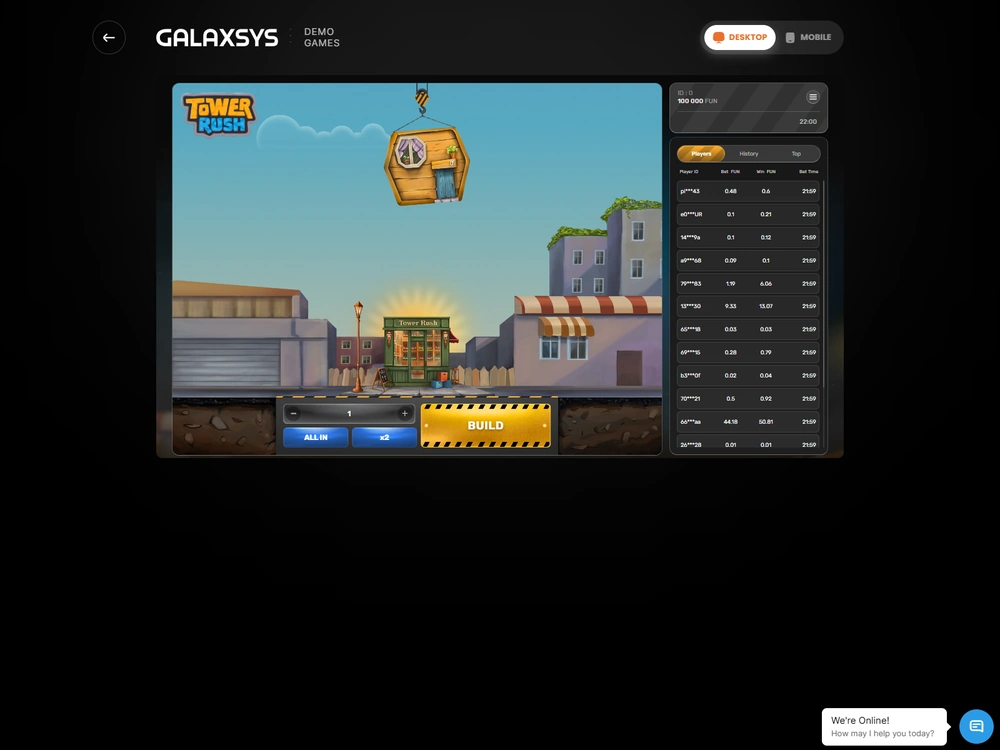
A screen described as a Tower Rush casino demo can show the same game controls while sitting inside a different website. If you want the original provider session, use the Galaxsys routes above and read the unit next to your balance. If the browser stays on the loading screen or the controls fail to respond, check game errors and fixes.
Play a round and check its result
Choose a FUN stake and press Build to start a round. A successful floor gives you a choice. Take the displayed amount using Cashout, or select Build again and accept the next floor's outcome. The running amount belongs to the open round. A confirmed settlement is what changes the balance on the payout side.
How Build and Cashout work in the Tower Rush game demo
The first accepted Build debits the stake once and starts the crane drop, and Cashout settles the open round after a successful floor. On a successful placement, the first floor's multiplier applies to the stake. Further successful floors apply their multipliers to the amount already accumulated. In the Tower Rush demo game, this means a floor with a multiplier below 1× can land successfully and still lower the amount you can collect.
- Select a FUN amount. Check the stake before pressing Build. The French test profile allowed 1–100 FUN in increments of 0.50 FUN, with a cap of 10,000 FUN per round.
- Press Build once. Watch for the accepted stake and the floor outcome. If the interface pauses, check the round record before trying again.
- Read the amount on Cashout. After a successful floor, compare the amount you can collect with the original stake. A display of 8 FUN against a stake of 5 FUN gives you a 3 FUN net gain if the game settles at that amount.
- Choose Cashout or Build. Cashout settles the open round after confirmation. Another Build keeps the same stake in play and exposes the unprotected amount to the next placement.
- Open History. Find the round by ID and check the stake and the final result. A settled credit, a zero payout and a refund each tell you something different about what happened.
During Tower Rush game demo play, the stake and the Cashout display answer different questions. The stake tells you what went into the round. The Cashout display tells you the gross amount on offer while it is open. If that amount equals the stake, a confirmed Cashout breaks even. If it's lower, collecting it still closes the round with a net loss.
The payout cap is a ceiling on the amount the profile can credit for one round. At that ceiling the game's rules warn that an extra floor cannot lift the payout above the limit and may put the accumulated amount at risk. Read the screen and check the settlement if you encounter the cap. See the full round rules.
What changes when a bonus floor lands
Frozen Floor protects an amount, Temple Floor applies a wheel result, and Triple Build adds three floors within the same round. A bonus floor looks like an ordinary floor until a successful placement reveals it. During a Tower Rush demo play session you can see how those effects change the displayed amount without making a second opening stake.
| Round event | What happens to the amount | What to look for after settlement |
|---|---|---|
| Cashout after a successful floor | The game credits the confirmed gross amount to the FUN balance. | One payout tied to the opening stake. |
| Floor falls without protection | The round ends and the stake is lost. | A completed round with zero payout. |
| Frozen Floor followed by a fall | The game preserves the amount fixed when Frozen landed. | One payout for the protected amount. |
| Temple Floor | One wheel spin multiplies the running amount or freezes it. | The wheel changes the running total inside the round. The final settlement is a separate event. |
| Triple Build | Three additional floors apply multipliers of at least 1× each. | The extra placements belong to the same opening stake. |
| Technical cancellation | The game returns the original stake. | A refund and a net change of zero for the cancelled round. |
Frozen protection is part of the eventual gross. In one round I tested, a 5.50 FUN stake reached a protected 2.5×, then a successful 1.5× floor brought the total to 3.75×. Cashout settled at 20.63 FUN after rounding. The payout already included the protected portion. After Frozen takes effect, the rules say no further bonus floors appear, and the next successful floor applies a multiplier of at least 1.5×.
Temple applies its result to the amount already on the screen. In my test, a 6 FUN stake had reached 1.8× when a 2× Temple result lifted the total to 3.6× and the round settled at 21.60 FUN. The wheel has ten sectors, including Frozen. The number of sectors alone gives you no probability for each outcome. See bonus floors and their effects.
How to read History when the screen stalls
Check History and the round ID before repeating Build or Cashout. If the connection dropped before the server accepted the stake, there should be no new debit. If the server accepted it, look for the original round on return. The game rules provide for settlement after one hour of inactivity when the connection has failed after acceptance and does not recover. A technical cancellation returns the original stake.
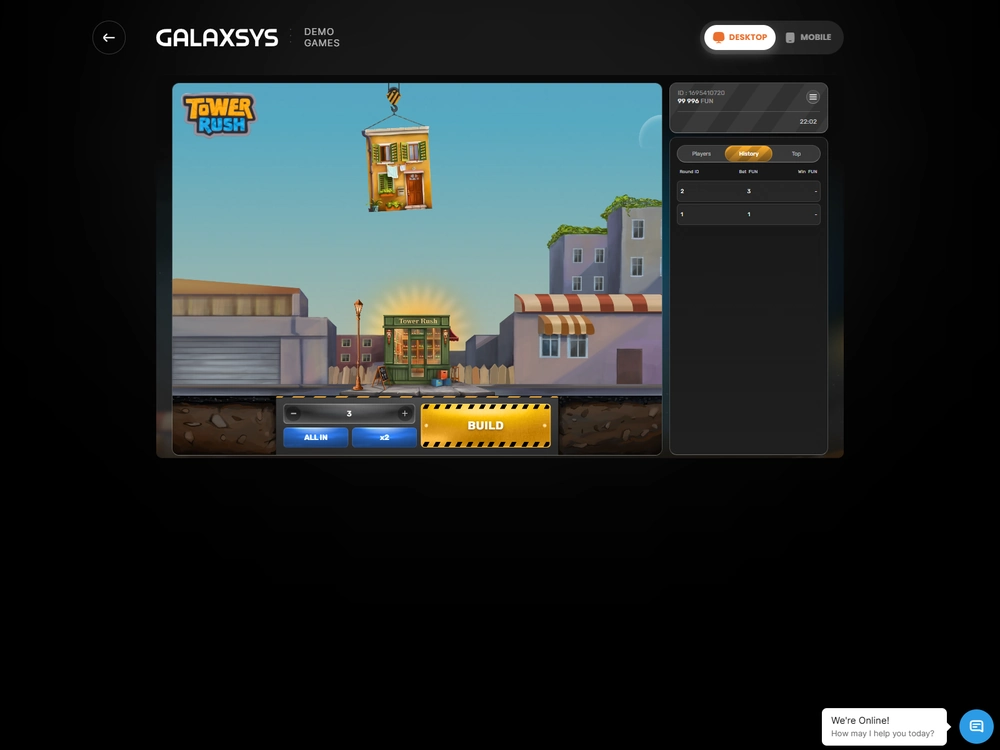
The Players and Top views sit alongside History in the provider interface. The public feed lists Player ID, Bet FUN, Win FUN and Bet Time. Use your own round record for reconciliation. A row in the public feed gives a stake and result for that row, while your round ID lets you match a debit and a settlement to the same play.
A multiplier in the recent-results strip is a different piece of information again. In one desktop sequence, the active Cashout display moved from 2.43 to 1.09 FUN after a 0.45× floor. The completed History entry is where you can check the amount actually credited.

What happened in the Android FUN session
I checked the balance and History on a Samsung Galaxy S25 FE across 24 accepted opening Builds. I recorded the initial debit for each cycle, then matched it with the final payout or refund. I finished at 783.44 FUN from 750.00 FUN, with one technical cancellation and no amount left pending. A separate adjustment returned the balance to 750.00 FUN after the session.
| Ledger item | Amount or count | How to read it |
|---|---|---|
| Opening balance | 750.00 FUN | The balance before any stakes in this test. |
| Accepted opening Builds | 24 | Includes 23 settled rounds and one technical cancellation. |
| Initial debits | 254.00 FUN | Total deducted when the game accepted the opening stakes. |
| Technical refund | 4.00 FUN | Stake returned for the cancelled round. |
| Settled turnover | 250.00 FUN | Initial debits after removing the refunded stake. |
| Gross payouts | 283.44 FUN | Total credited from settled rounds, excluding the refund. |
| Session net | +33.44 FUN | Gross payouts minus settled turnover. |
| Closing balance | 783.44 FUN | The balance before a separate −33.44 FUN adjustment. |
Round outcomes in the Android test
Of the 23 settled rounds, 13 paid something and 12 ended with a positive net. A payout and a profitable round have different thresholds. One Cashout at 1× returned exactly the 5 FUN stake. The highest gross was 44.10 FUN, on a 21 FUN stake at 2.1×. Four feature rounds included two Frozen outcomes, one Temple and one Triple Build.
| Round outcome | Stake | Gross or refund | Net |
|---|---|---|---|
| Unprotected fall | 12.50 FUN | 0.00 FUN payout | −12.50 FUN |
| Cashout at 1.4× | 15.50 FUN | 21.70 FUN payout | +6.20 FUN |
| Frozen at 2.5×, then a fall | 12.50 FUN | 31.25 FUN payout | +18.75 FUN |
| Triple Build to 3× | 3.50 FUN | 10.50 FUN payout | +7.00 FUN |
| Technical cancellation | 4.00 FUN | 4.00 FUN refund | 0.00 FUN |
| Round history restored after returning to the game | 18.50 FUN | 28.68 FUN payout | +10.18 FUN |
On the cancelled round, the refund reversed the debit and left the balance where it started for that cycle. When I returned to the game after it went into the background, History showed the settled credit at 1.55×. For a practical first check, those are two useful records to distinguish. The refund cancels the stake's financial effect in FUN. The restored payout belongs in gross.
Why the demo can show different balances and returns
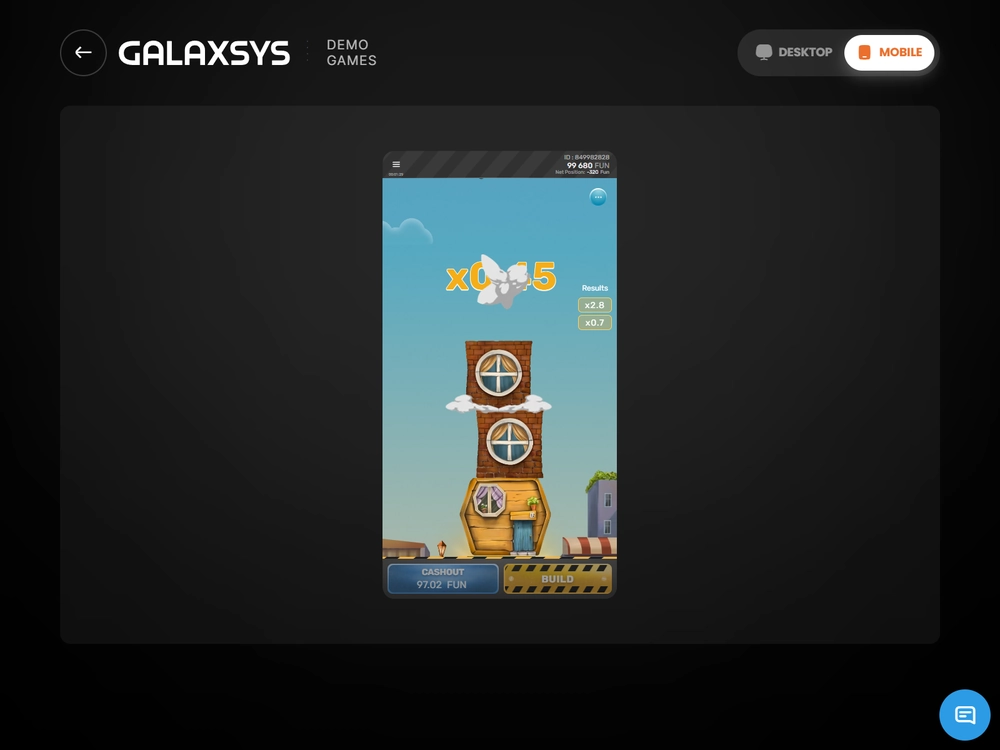
Starting balances vary by session profile, and the observed return depends on the payouts and stakes of the rounds that settle. A separate Galaxsys Mobile interface example opened at 100,000 FUN and later showed 99,680 FUN with a Net Position of −320 FUN. Use the number in your own client when you try Tower Rush free, and keep any balance adjustment separate from the credits earned in your rounds.
That Mobile screen also showed 1.4×, 1.4×, 0.45×, 2.8× and 0.7× in the recent-results strip. Read the strip separately from the Net Position, which was the difference between the opening and displayed balances in this example.
Gross divided by settled turnover gave 113.376% for the Android sample. The test profile used 97% RTP as its mathematical return setting. The first number describes the credits and stakes in 23 settled rounds. The second is a long-run return measure for a configuration. Neither tells you what the next Build will do. A few payouts can move the session percentage sharply, especially when the stakes differ from round to round.
The test balance also fell by as much as 23.80 FUN between a previous high and a later close, even though the session finished ahead. That drawdown tracks what happened to the balance between settled rounds. It answers a different question from the net at the end, which only compares the opening and closing balances.
Tower Rush at operators
7 operator reviews
These reviews cover different markets and test profiles. None of these operators offers authorised real-money Tower Rush in France.
-
 Profile score 6.1/10
Tested scenarios
- The international catalogue lists the Galaxsys original.
- The EUR test used Cartes Bancaires and SEPA Instant.
- The game earned 0% wagering credit in the tested welcome offer.
-
 Profile score 6.8/10
International platform
- The EUR test used Mastercard and SEPA Credit Transfer.
- An identity check preceded the first test withdrawal.
- Mini Games earn no wagering credit in the international Welcome.
-
 Profile score 6.3/10
Tested scenarios
- The separate 1w catalogue lists Tower Rush 2.
- The EUR cashier test used Visa and SEPA.
- The game earned 0% wagering credit in the tested welcome offer.
-
 Profile score 6.8/10
International platform
- The international listing gives the original 97% RTP.
- Clause 14.3 excludes players in France.
- Dragon Tower is a separate game.
-
 Profile score 6.3/10
Russian sportsbook
- RUB 100 minimum for deposits and withdrawals in the Russian sportsbook.
- The separate EUR test used a named bank account.
- The game earned 0% wagering credit in the EUR welcome test.
-
 Profile score 6.6/10
International platform
- The November Galaxsys Challenge listed the original.
- Betify excludes France from registration.
- Low turnover can trigger a withdrawal fee of up to 10%.
-
 Profile score 4.9/10
French platform
- ANJ authorisations cover sports betting, horse racing and poker.
- €10 minimum for deposits and ordinary withdrawals.
- French apps on Google Play and the App Store.
What FUN means if you're playing from France
FUN is a virtual unit with no cash value. Cashout in the Tower Rush demo moves a settled amount into your FUN balance. France's approved online gambling categories do not provide a real-money route for this title, and the ten operator profiles checked for France provide no authorised route to play it for cash. A French-language interface or a balance shown in euros does not establish permission to offer the game in France.
The Tower Rush free demo is useful for seeing what the controls do and how History records the result. To get familiar with it, open the launcher for your device, check FUN and follow one round from the accepted Build to its final History entry. For the separate market rules, see real-money availability in France. For the original game's identity and variants, see the Tower Rush game overview.

Frequently asked questions
Do I need an account or deposit for the official Tower Rush demo?
No. The public Galaxsys demo uses a virtual FUN balance and opens without an operator account or deposit. Choose the Desktop or Mobile launcher and check for FUN before your first Build.
Can I withdraw FUN after using Cashout?
No. Cashout settles your open round and credits its confirmed gross to the game's FUN balance. FUN cannot be transferred to a payment account or redeemed for euros.
Do I start the Tower Rush demo with 750 FUN every time?
Starting balances depend on the session profile. The Android test began with 750 FUN and the separate Galaxsys Mobile example began with 100,000 FUN. Read the FUN balance in the session you actually open.
Does another Build after a successful floor use a new stake?
A further Build within the same open round continues the original stake. The initial debit happens when the first Build is accepted. A new round starts after the current one settles or ends.
Where do I check a round after closing and reopening the demo?
Open History and match the round ID to the stake and result if you return to the same session. A confirmed credit or refund belongs to that round. If the screen paused before you saw acceptance, check for the debit before trying Build again.

| Author | Gaspard Joly |
|---|---|
| Role | Senior iGaming, gambling and betting analyst |
| Experience | 9+ years analysing game providers, online gambling and payment systems |
| Published | 10 November 2026 |
| Device | Samsung Galaxy S25 FE, Android 16, One UI 8 |
| Methodology | Methodology |
Play responsibly
 Play responsibly
18+. Gambling can cause financial and personal harm. Set personal limits. For support, visit GamCare or GambleAware. See responsible gambling in France for local options.
Publisher and supplier licence
Digitain (MT) Limited · Malta Gaming Authority
MGA/B2B/592/2018
Tower Rush France is the publisher of this site. Galaxsys supplies the game. The Malta Gaming Authority issued critical gaming supply licence MGA/B2B/592/2018 to Digitain (MT) Limited on 29 January 2020. The company is registered in Malta under C 87254 at Tower Business Centre, 2nd Floor, Office 230, TRIQ IT-TORRI, Swatar Birkirkara, BKR 4013, Malta. Its UK Gambling Commission account number is 63601.
This B2B licence covers game supply. French operator permissions are listed separately by the ANJ. Malta Gaming Authority licence register · ANJ operator register