Français




How to use your Tower Rush casino login after confirming your email
Use the identifier you registered with on the operator’s sign-in screen, then check the account area to see whether your Tower Rush casino login has restored access to the right profile.
First sign-in after contact confirmation
Confirm the registered contact first, then return to the operator’s sign-in screen. In the account tests, I confirmed the email address through a one-time link before opening a separate session. The confirmation link lasted 8 minutes, and requesting a new link revoked the earlier one.
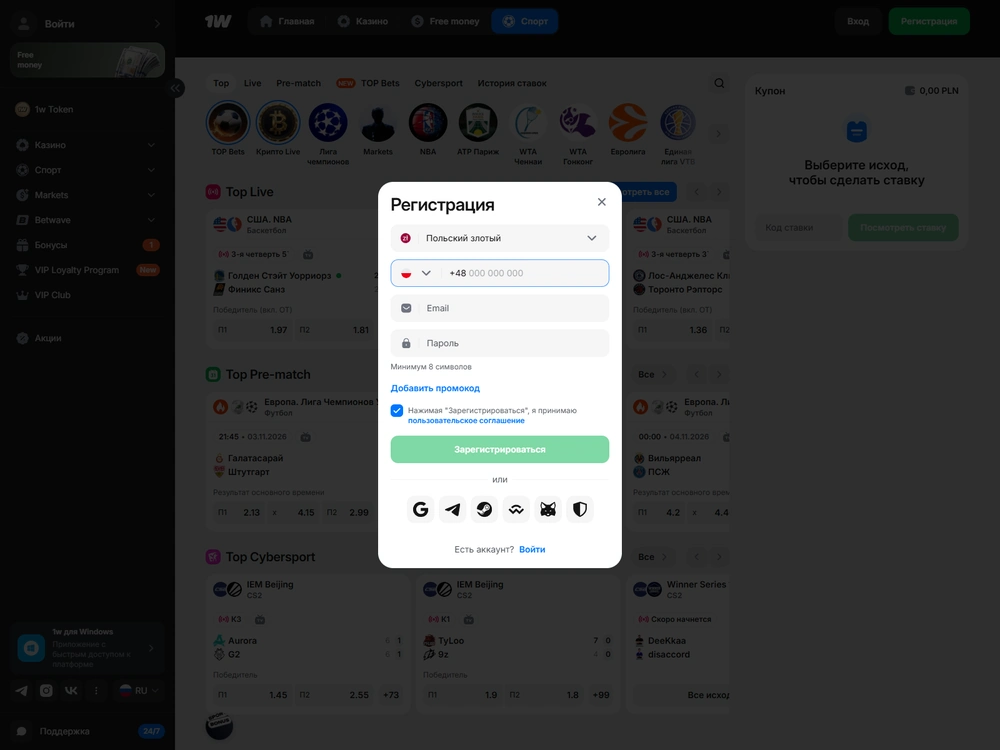
- Check which contact you registered with. If you started with email, look for the confirmation link in that inbox. If you used a phone registration route, follow the operator’s SMS prompt for that number.
- Complete the outstanding confirmation. If an email link has expired, request a replacement and open the newest message. Keep the email confirmation and any separate phone prompt tied to the original account.
- Return to sign-in. Enter the identifier the form accepts for that account and complete the sign-in prompt, using your password if requested. If you have yet to create an account, consult the registration guide for the separate sign-up process.
- Check where you land. Open your account area to confirm that your profile is accessible. If a restricted action triggers a new check, follow the prompt for that action.
In the Stake account test, I confirmed a French +33 number by SMS before an outgoing operation, even after declining app push notifications. The operator used the email link to confirm the inbox for first sign-in. It used the later SMS to confirm control of the phone. Those prompts applied to different actions.
Where a Tower Rush game login takes you
For a Tower Rush game login, sign in to the operator’s own account area. The public Galaxsys demo opens independently and gives you virtual FUN credits for the original game. Any euro balance you hold with an operator belongs to that operator account.
A game tile can be visible in a signed-in account while play remains restricted, so check operators and markets for what the listing means for access in France.
How to sign in again on Android and iOS
Use biometrics where supported to unlock a valid saved session on the device, or enter your current password when the operator asks you to authorise a fresh session.
In the 1XBET account and mobile test profiles, I unlocked the saved session with Android system biometrics and used Face ID in the iOS client. A failed biometric check returned me to password entry. When I changed the password, both old sessions were revoked and required fresh sign-in.
- Open the client where you previously signed in. If a biometric prompt appears, complete the device check. Go to the account area to see whether the session is still usable.
- Use password entry when prompted. If biometrics fail or the saved session has been revoked, sign in with your current credentials for the same account.
- Check the profile on a second device if you use one. After authorising the new session, look for the same account details and history. In the cross-device check, the clients read the same euro balance and the same recorded game result against the account identifier.
An operator may also offer an account-level second factor. Stake, for example, offers two-factor authentication on its international accounts. Follow the operator’s prompt if it asks for a second factor after you enter your password. A biometric prompt for a saved session is the device’s own check.
How to recover access and revoke old sessions
To recover access and revoke old sessions in the tested flow, start operator account recovery from the sign-in screen, confirm your registered contact with a fresh code and change your password.
If you can still reach the registered contact
Request a fresh code and use the latest one. In the account tests the recovery code was valid for 8 minutes. That was a separate window from the one-time email confirmation link, even though both had the same duration in those profiles.
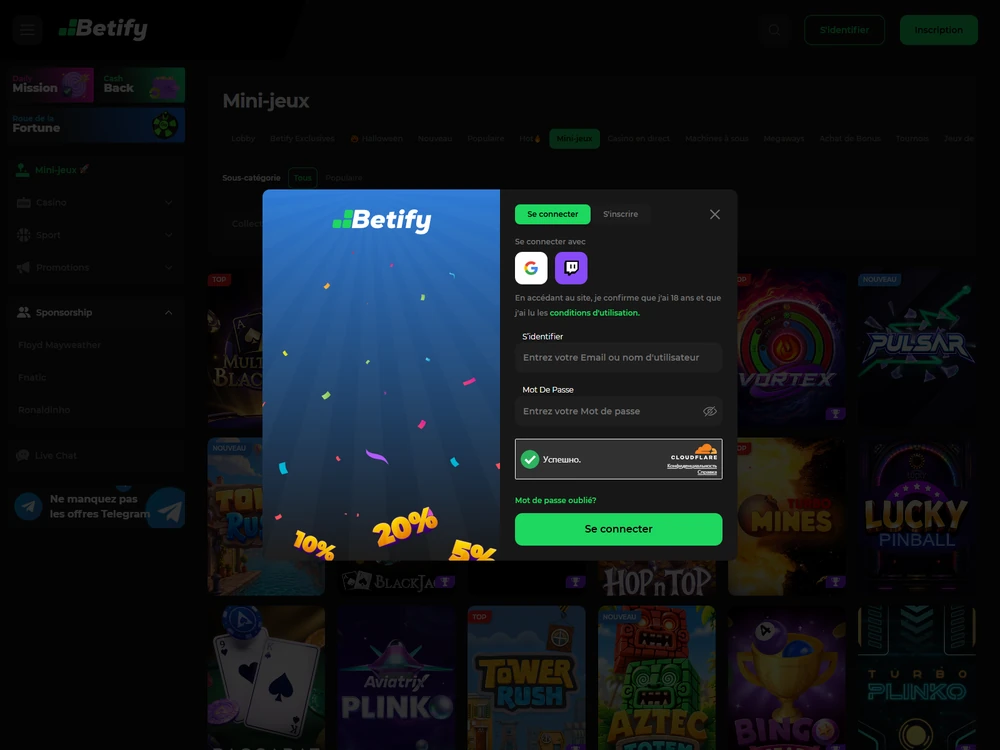
Button names depend on the operator and interface language. MyStake’s English interface uses Forgot Password?. Betify’s French interface uses Se connecter for sign-in and Mot de passe oublié? for password recovery. Those labels identify the controls in those interfaces. The code window comes from the account tests.
- Open the password-recovery control. Enter the identifier requested for the existing account. If the form offers a delivery choice, select the registered contact you can still use.
- Open the newest message. If you requested a replacement, use the newly issued code. In the tested flow, issuing a replacement invalidated the previous one. Keep the code private and enter it in the recovery form.
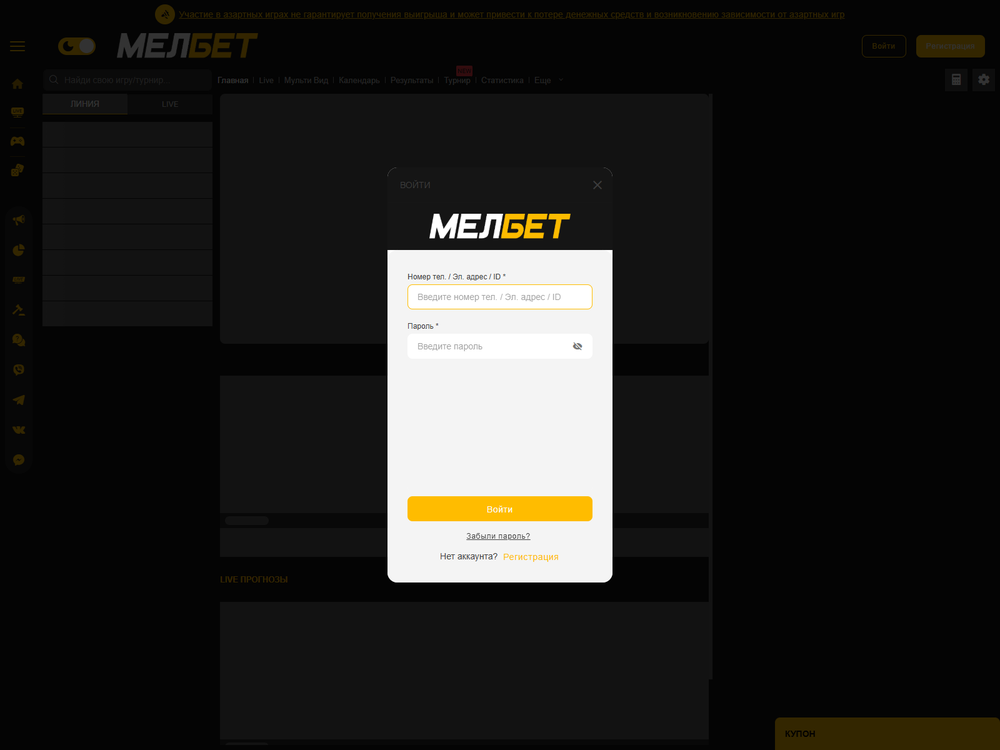
Password recovery through the registered email address - Set a new password and return to sign-in. Use the new password to establish a fresh session. In the 1XBET test, I requested the code through the original email and used it within the recovery window.
- Check an old session. If another device was signed in before the reset, open the account area there. In the tested flow the old session had lost access and the client asked for fresh authentication.
A password reset changes how you get back into the account. In the test, session revocation left the financial ledger intact. In a separate repeat sign-in check, I looked up an existing withdrawal request in the 1XBET profile. Checking that request by its original reference produced a single record, with no second reserve or payout.
If the registered inbox or number is gone
Contact the operator’s account support for a separate ownership check if you have lost the registered inbox or phone, since confirming a change through the old channel requires you to still control it.
Have your account identifier available and explain which contact you lost and whether you can still reach it. Keep passwords and reset codes out of messages to support. If the operator requests documents, use the submission route it provides for your account and check the account verification guide for the distinction between ownership checks and withdrawal checks.
Keep the request tied to the existing profile. For example, 1XBET’s terms prohibit an existing customer from registering again under a new name or email. Its Security Department handles recovery requests when an account is blocked for security, regulatory, verification or terms-related reasons. Changing a password alone leaves those restrictions in place.
Which route fits the problem on screen?
Request a fresh code if yours expired, sign in again after a session revocation, or contact the operator if your account is blocked.
| What you see | What to check | Next step |
|---|---|---|
| An old email confirmation link fails | Whether it expired or a replacement superseded it | Open the newest valid link for the original account. If it expired, request a fresh one. |
| A recovery code fails | Whether the code has expired or was superseded | Request a fresh code through the registered contact |
| An old device asks you to sign in after a password change | Whether it is trying to resume the former session | Sign in again with the new password |
| You can sign in but the operator asks for documents | Whether the request concerns account ownership or an outgoing operation | Follow the verification prompt for that action |
| The account was closed or self-excluded | Which restriction the operator has applied | Ask account support to confirm its status |
Closure revokes sessions in the account controls. Reopening a closed account depends on the operator’s rules, and self-exclusion follows a separate process. If you need to confirm the account’s status or deal with an outstanding record, give support that specific reason for contacting them.
Tower Rush at operators
7 operator reviews
These reviews cover different markets and test profiles. None of these operators offers authorised real-money Tower Rush in France.
-
 Profile score 6.1/10
Tested scenarios
- The international catalogue lists the Galaxsys original.
- The EUR test used Cartes Bancaires and SEPA Instant.
- The game earned 0% wagering credit in the tested welcome offer.
-
 Profile score 6.8/10
International platform
- The EUR test used Mastercard and SEPA Credit Transfer.
- An identity check preceded the first test withdrawal.
- Mini Games earn no wagering credit in the international Welcome.
-
 Profile score 6.3/10
Tested scenarios
- The separate 1w catalogue lists Tower Rush 2.
- The EUR cashier test used Visa and SEPA.
- The game earned 0% wagering credit in the tested welcome offer.
-
 Profile score 6.8/10
International platform
- The international listing gives the original 97% RTP.
- Clause 14.3 excludes players in France.
- Dragon Tower is a separate game.
-
 Profile score 6.3/10
Russian sportsbook
- RUB 100 minimum for deposits and withdrawals in the Russian sportsbook.
- The separate EUR test used a named bank account.
- The game earned 0% wagering credit in the EUR welcome test.
-
 Profile score 6.6/10
International platform
- The November Galaxsys Challenge listed the original.
- Betify excludes France from registration.
- Low turnover can trigger a withdrawal fee of up to 10%.
-
 Profile score 4.9/10
French platform
- ANJ authorisations cover sports betting, horse racing and poker.
- €10 minimum for deposits and ordinary withdrawals.
- French apps on Google Play and the App Store.
What your account access means in France
In France, the real-money route to the Galaxsys game is closed across all ten operator profiles examined, even after a successful Tower Rush casino login. A French-language screen or a euro balance identifies an interface or currency setting. The right to offer a game is determined separately.
Betclic France is authorised for sports betting, horse racing and poker. Its French account sits within those categories. Stake’s international catalogue lists the original Tower Rush, and Stake’s terms expressly exclude France. A listing in that catalogue tells you which title the operator carries in its own market scope.
Account verification is a separate decision too. In the account tests, identity checks were completed before withdrawal requests. The interval from withdrawal request to dispatch excludes that earlier verification time. If the operator asks you to verify changed personal details or a new payment recipient, resolve that request in your existing account.
Go to account verification if the operator is asking for documents, or use launch troubleshooting if your profile opens and the permitted game or demo stalls.

FAQ
Can I use the same login on another device?
Use the same operator account on each supported client. In the cross-device check, both clients read the same account balance and history. If you have just reset the password, authenticate again with the new one on the second device.
Does the Galaxsys Tower Rush demo need my casino password?
The public demo opens without an operator sign-in. It has its own FUN balance for practice. Keep your operator password for the operator’s own sign-in form.
What if I receive a reset code I did not request?
Leave the code unused and keep it private. Open the operator’s account or support area yourself to check your access. If you suspect someone has your credentials, change the password through the operator’s own controls and check whether old sessions still have access.

| Author | Gaspard Joly |
|---|---|
| Role | Senior iGaming, gambling and betting analyst |
| Experience | 9+ years analysing game providers, online gambling and payment systems |
| Published | 10 November 2026 |
| Device | Samsung Galaxy S25 FE, Android 16, One UI 8 |
| Methodology | Methodology |
Play responsibly
 Play responsibly
18+. Gambling can cause financial and personal harm. Set personal limits. For support, visit GamCare or GambleAware. See responsible gambling in France for local options.
Publisher and supplier licence
Digitain (MT) Limited · Malta Gaming Authority
MGA/B2B/592/2018
Tower Rush France is the publisher of this site. Galaxsys supplies the game. The Malta Gaming Authority issued critical gaming supply licence MGA/B2B/592/2018 to Digitain (MT) Limited on 29 January 2020. The company is registered in Malta under C 87254 at Tower Business Centre, 2nd Floor, Office 230, TRIQ IT-TORRI, Swatar Birkirkara, BKR 4013, Malta. Its UK Gambling Commission account number is 63601.
This B2B licence covers game supply. French operator permissions are listed separately by the ANJ. Malta Gaming Authority licence register · ANJ operator register