Français


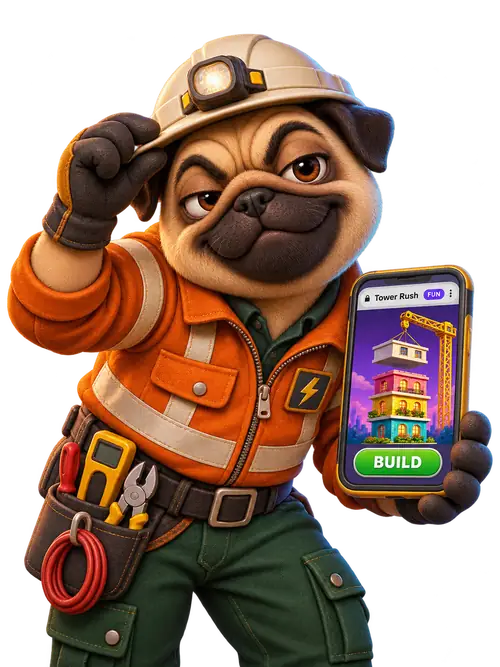
Do you need to download Tower Rush?
You can play Tower Rush on mobile in the official Galaxsys demo without installing an app. Open the provider’s mobile launcher on your phone. On a computer, use the separate desktop launcher, which opens the wider browser layout. Both routes are for the original game. If you see a sequel title or a different studio, check the original Tower Rush identifiers before starting.
Open the mobile browser demo
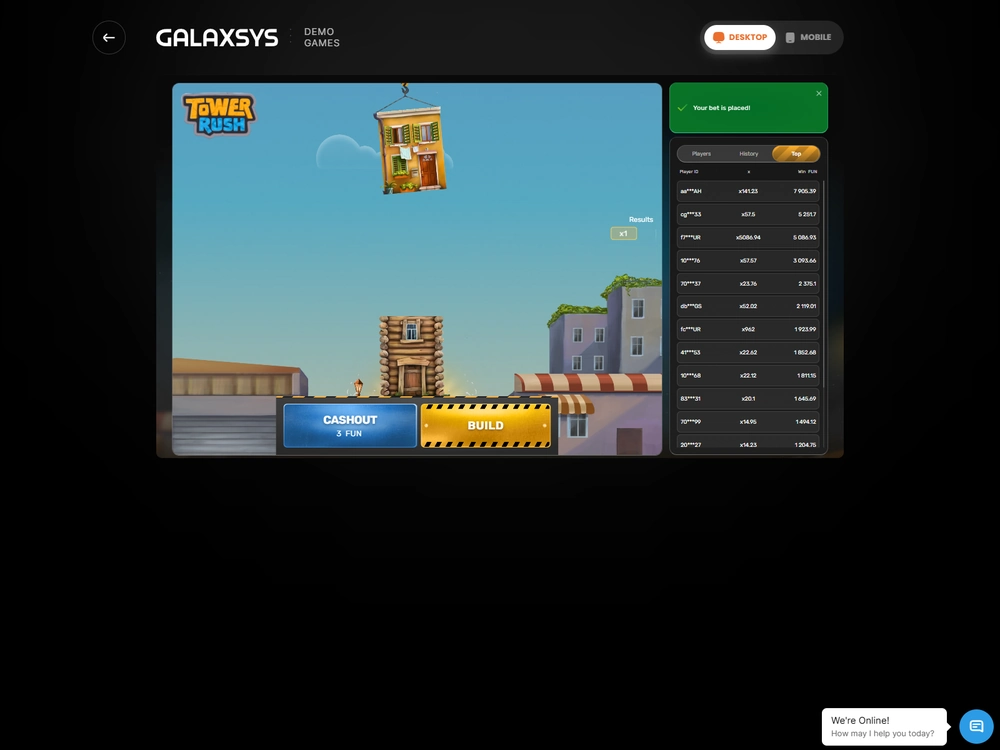
Galaxsys launches the original game as a web page. The virtual balance and a responsive Build button are the two practical checks that the game has loaded far enough for you to try it. The provider page can open separately from Tower Rush France, so keep track of which tab holds the round.
- Open Chrome on Android or Safari on iPhone and follow the official Galaxsys mobile launcher. On a computer, open the Galaxsys desktop launcher.
- Check the game name and look for FUN next to the balance. FUN is the demo unit. If a page asks you to download Tower Rush, open an account or deposit funds, return to the provider launcher.
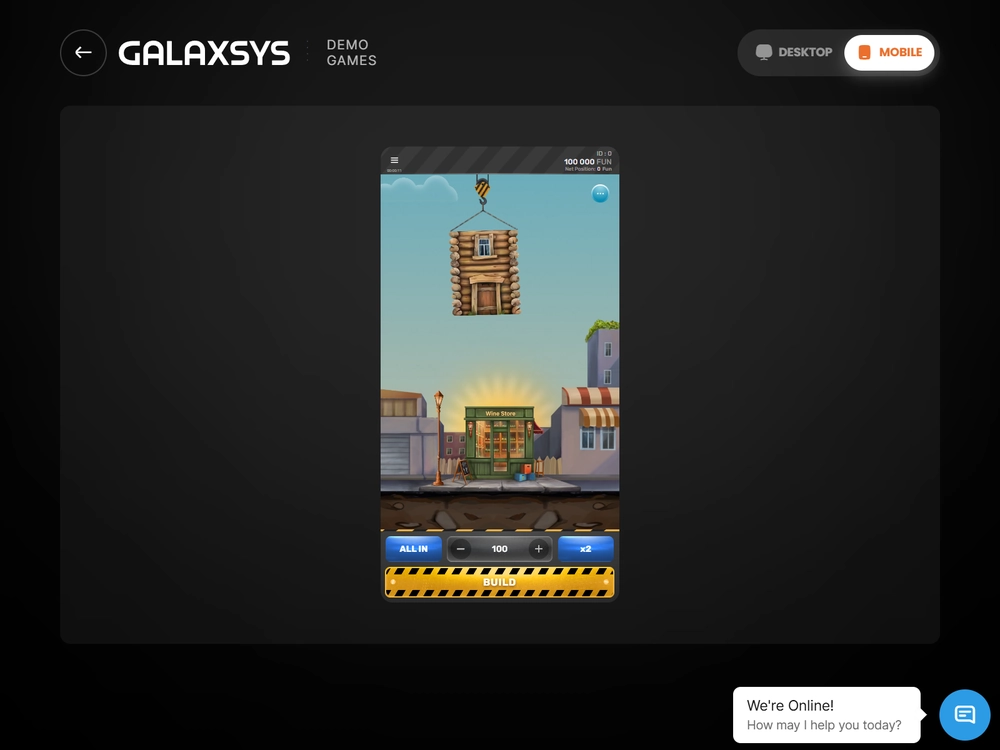
The Galaxsys mobile demo shows the FUN balance and the Build control before the round starts. - Select an available FUN stake, then tap Build once. After a successful floor, use Cashout to close the round or Build to attempt the next floor.
- Open History to check the result for that round. If the screen stalls after your tap, check whether the request was accepted before tapping Build again.
If you came looking for a Tower Rush game download, the provider page already gives you the controls you need. In the vertical layout, look for the tower and the stake controls around the play area. In the English interface, Rules opens the game instructions, while History shows results for the running client. The official demo guide covers FUN mode in more detail.
On the Samsung Galaxy S25 FE, I used Chrome on Android 16 with One UI 8 for the mobile demo session. I opened History after the final settlement and checked the balance against the accepted stakes and outcomes. The initial Build debited the FUN stake once per accepted round. Further floors changed the amount at risk in the same round.
The running Cashout figure and a settled credit are different entries. The amount on the button can still change while the round is active. History is where you check what the round actually paid or returned. For the rules behind the controls, see the Tower Rush game overview.
What a Tower Rush APK download can contain
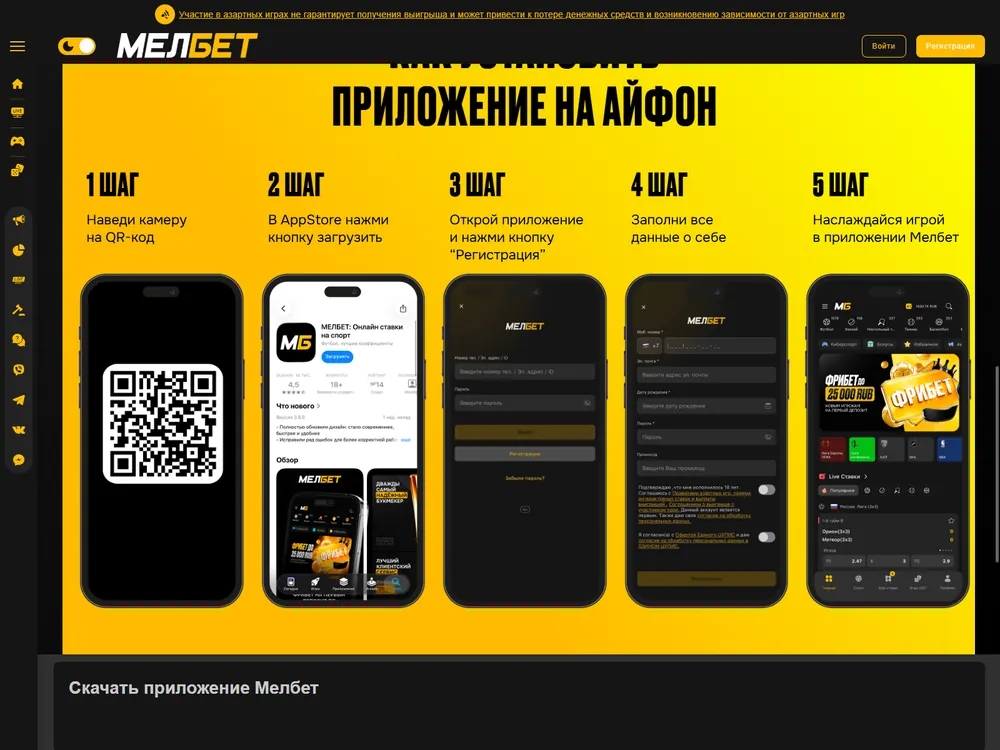
In the operator profiles I tested, the APK installed an operator shell with a web container. An APK is an Android installation package. A search result labelled “Tower Rush game APK download” can use the game’s name for an operator package. To establish what you would install, identify the publisher, the distribution channel and the app before looking for the game inside it.
How to check a Tower Rush game APK
Start with the publisher and distribution channel. A Tower Rush APK download label tells you little about who signed the file, which version it contains or what catalogue will appear. Game access and installability are separate checks. For the provider demo in France, you can use Chrome and leave Android’s install permissions as they are.
- Identify the product. Read the publisher name and the exact listing title. A result headed “Tower Rush game app download” can lead to a product with its own catalogue and market rules.
- Identify the channel. Check whether the listing is for a store install or a separately distributed Android package. For a separate package, match the publisher, build and package identity to the intended distribution channel before opening the file.
- Check the exact build. Compare its minimum OS and architecture with your device and check the space needed after installation. A signature or checksum belongs to the specific binary you are checking.
- Check what the app offers in France. A successful install or a catalogue listing elsewhere gives no access to real-money Tower Rush here. For the original game in FUN, return to the Galaxsys browser launcher.
An operator’s update can change the installed shell, while the resources it displays carry a separate version. I installed and launched all ten Android profiles in the test environment. In the update scenarios, I checked that the new build came from the same channel and that the existing history survived. The checks describe those builds, including the touchscreen and arm64 requirements. The Android profiles had minimum API levels from 26 to 31, with target and compile SDK both set to 36.
What a Tower Rush app download label can hide
The package size leaves out the installed footprint and the data the app accumulates during a session. The Tower Rush app download label also says nothing about the web content version. For example, the 1Win test APK occupied 36.70 MB as a file and 59.60 MB after installation. Its shell and the resources it loaded had separate version numbers.
| Test profile | Shell version (build) | Web resources | Package | Installed | Data added in 15 min |
|---|---|---|---|---|---|
| 1Win Android | 2.7.4 (260600) | 6.3.2 | 36.70 MB | 59.60 MB | 3.40 MB |
| 1Win iOS WebView | 2.7.12 (260800) | 6.3.14 | 36.40 MB | 71.30 MB | 4.30 MB |
| Betify Android | 2.8.11 (260736) | 8.1.21 | 22.60 MB | 49.90 MB | 4.20 MB |
| Betify iOS WebView | 2.8.3 (260952) | 8.1.24 | 17.10 MB | 36.10 MB | 5.80 MB |
| Betclic Android | 3.11.6 (260753) | 6.6.17 | 18.00 MB | 49.90 MB | 6.40 MB |
| Betclic iOS WebView | 3.11.3 (260971) | 6.6.24 | 21.80 MB | 41.90 MB | 3.10 MB |
These measurements apply to operator test builds. Android file sizes in the table use decimal MB. The 1Win package’s 36,700,000 bytes round to 35.00 MiB, so a storage screen using binary units can show a lower number for the same file. The web-resources column identifies the content loaded by the shell. Chrome and Android System WebView were both version 157.0.8103.46 in the Android environment, with the version of each recorded separately.
In the test clients, the notification prompt appeared when I opened the push settings. I declined it and could still open the demo route and read History. Camera and location access were outside the FUN route. Biometric sign-in reopened a saved operator session in the tested flow, with password entry available if biometrics failed. Identity checks remained a separate operator step.
Crorebet’s South Asian app listings
Crorebet illustrates how a download page and a homepage can describe different builds and platform variants. In its South Asian materials, the app page gives version 3.6 and 43 MB. The homepage lists Android 1.4.3 at about 35 MB and iOS 1.3.9 at about 42 MB. Keep each figure with its listing. They describe Crorebet in its own market and supply no French download route for the game.
Tower Rush at operators
7 operator reviews
These reviews cover different markets and test profiles. None of these operators offers authorised real-money Tower Rush in France.
-
 Profile score 6.1/10
Tested scenarios
- The international catalogue lists the Galaxsys original.
- The EUR test used Cartes Bancaires and SEPA Instant.
- The game earned 0% wagering credit in the tested welcome offer.
-
 Profile score 6.8/10
International platform
- The EUR test used Mastercard and SEPA Credit Transfer.
- An identity check preceded the first test withdrawal.
- Mini Games earn no wagering credit in the international Welcome.
-
 Profile score 6.3/10
Tested scenarios
- The separate 1w catalogue lists Tower Rush 2.
- The EUR cashier test used Visa and SEPA.
- The game earned 0% wagering credit in the tested welcome offer.
-
 Profile score 6.8/10
International platform
- The international listing gives the original 97% RTP.
- Clause 14.3 excludes players in France.
- Dragon Tower is a separate game.
-
 Profile score 6.3/10
Russian sportsbook
- RUB 100 minimum for deposits and withdrawals in the Russian sportsbook.
- The separate EUR test used a named bank account.
- The game earned 0% wagering credit in the EUR welcome test.
-
 Profile score 6.6/10
International platform
- The November Galaxsys Challenge listed the original.
- Betify excludes France from registration.
- Low turnover can trigger a withdrawal fee of up to 10%.
-
 Profile score 4.9/10
French platform
- ANJ authorisations cover sports betting, horse racing and poker.
- €10 minimum for deposits and ordinary withdrawals.
- French apps on Google Play and the App Store.
The Tower Rush iPhone route in Safari
Open Galaxsys in Safari to use the provider demo on iPhone. The Tower Rush iPhone route takes you straight to the browser game, so there is no installation step. The iPhone environment was an iPhone 17 running iOS 27.2 and Safari 27.2. That is the test setup. The minimum iOS version of an operator shell belongs to that shell.
Safari and WKWebView in an operator client
Safari is a standalone browser. WKWebView is a view inside an iOS app that displays web content while the app controls navigation. A screen described as a Tower Rush application can be a web view within an operator client. In the test profiles, the iOS shells used WKWebView with a minimum of iOS 16.0. The shell build and its web resources were tracked separately.
That distinction matters when the shell sends you to Safari for part of a task. In the operator test, I returned from Safari to WKWebView and checked the same cashier operation. The status stayed the same and no duplicate credit appeared. If you have an unresolved FUN round after moving between screens, return to the client where you started it and check its History.
What happens when the app loads, rotates or loses its connection
In the mobile tests, I timed lobby and FUN readiness separately, checked that Build and Cashout stayed accessible on rotation, and recovered the accepted result by round ID after a connection drop. You can reach the lobby quickly and still wait for the game to become interactive. A responsive button also says little about whether the server accepted the last tap.
What the launch and resource measurements mean
The launch figures measure time to usable controls, while the resource figures describe traffic, battery use and temperature change during a session. For the launch series, I used the same Orange Wi-Fi connection, measured at 112 Mbps down, 38 Mbps up and 23 ms of network latency. A cold start used an empty cache and a warm start reused resources. Each series had five attempts.
The Betclic Android test shell reached an interactive lobby in a median of 3.320 s on cold starts and 0.610 s on warm starts. Those times describe the lobby. For the time to FUN, I started timing when I selected Tower Rush and stopped when the balance showed FUN and Build became usable.
| Test route | First attempt | Median of successful attempts | Successes |
|---|---|---|---|
| 1Win Android profile | 2.317 s | 3.163 s | 5/5 |
| 1Win iOS WebView profile | 2.740 s | 2.434 s | 4/5 |
| Galaxsys browser from the Betclic Android scenario | 1.565 s | 2.952 s | 4/5 |
| Galaxsys browser from the Betclic iOS scenario | 1.471 s | 1.894 s | 5/5 |
In the 1Win examples, iOS reached FUN sooner on the median successful attempt, while Android completed all five. The failed attempt reached a 10-second timeout and is counted in the success fraction. The Betclic scenarios measured the external Galaxsys browser at this step. The Build button in those runs belonged to the Galaxsys demo.
Storage and mobile data answer different questions. During the 15-minute Betify resource run, Android transferred 12.40 MB and the battery level fell 2.80 percentage points. The iOS WebView route transferred 6.72 MB and fell 1.82 points. The reported surface temperature change for that profile was 2.83 °C. The traffic values measure network use, while the table’s data-added column measures space used on the phone. I ran the comparison on Wi-Fi at 55% brightness, starting with 80% battery and power saving disabled in a room at 22 °C. Treat the numbers as measurements of that run.
Once you tap Build, the relevant clock changes. In my Android browser session, the first accepted Build took 379 ms from request to server acceptance. Across the 24 accepted rounds, that interval ranged from 134 to 386 ms. It already measures the time between those two events. The subsequent floor animation and the Wi-Fi latency figure are separate observations.
Rotation, backgrounding and recovery
Build and Cashout stayed within the usable screen area when I rotated the operator test clients from portrait to landscape and back. The selected amount survived the turn and the history remained available. I also checked the return from the background against the latest history and balance. In the test client, Android’s Back action returned to the catalogue without repeating the settlement.
After switching between Wi-Fi and 5G, I checked the original round ID before repeating an action. When the connection broke before acceptance, the test recorded zero debit. When the connection broke after server acceptance in the operator test profiles, the client blocked further input until it requested the round history. In a separate FUN round accepted before the connection broke, a 6.50 FUN stake at 1.8× returned 11.70 FUN gross. Reopening the history showed the same single payout. A third possible state is a technical cancellation. In the Android demo session, a void returned the original 4.00 FUN stake.
- Return to the tab or client that held the round and let the connection recover.
- Open History and look for the accepted round or its ID. Match the stake and read the status before tapping Build again.
- If History shows a settlement or refund, compare it with the FUN balance. If the status is still unclear, use the connection and round recovery guide before starting a fresh round.
Betclic France on Google Play, the App Store and mobile web
Betclic France is a separate public product. Its French authorisations cover sports betting, horse-race betting and poker. Its apps and mobile website serve that product, and the French catalogue excludes Tower Rush. If you searched for a Tower Rush game app and found Betclic Paris Sportifs & Poker, the store listing identifies Betclic’s own product.
| Channel | Product identifier or listing | What the channel provides |
|---|---|---|
| Google Play France | Betclic Paris Sportifs & Poker, package sport.android.betclic.fr |
Public Android store install for Betclic France |
| App Store France | Betclic Paris Sportifs & Poker, Betclic Everest Group, version 10.6.5 | Native iOS app in French, listed at 170.9 MB and requiring iOS 15.0 or later |
| Betclic France mobile web | Mobile website named in Betclic France’s terms | Betclic’s French browser service, separate from the Galaxsys demo |
The App Store’s 170.9 MB is a listing figure. The 21.80 MB iOS shell in the test table belongs to a separate WKWebView build. Its iOS 16.0 minimum likewise belongs to that build. The Google Play package ID identifies a store product. If you compare it with a file labelled “Tower Rush APK”, the ID alone tells you nothing about that file’s size, checksum or signature.
How to recognise the right store listing
Look for Betclic Paris Sportifs & Poker in the French store for your device. The product name and store channel help you separate it from similarly labelled downloads.
- On Android, open Google Play France and search for Betclic Paris Sportifs & Poker. Check the product name before selecting the store’s install control. If you open the listing in a browser, you can also check the package ID in its address.
- On iPhone, open the App Store France and search for the same product. Check Betclic Everest Group and the iOS requirement before selecting the store’s download control.
- If you opened the store to find the Galaxsys game, return to the mobile browser launcher. For the local product boundary, consult the casinos and markets guide or open the ANJ register of authorised operators.
Tower Rush download or browser access in France?
Use the Galaxsys browser launcher if your goal is to try the original game. For Tower Rush download and installation questions, separate the name of the game from the product you would install. Operator APKs and iOS WebView shells have their own requirements. The public Betclic France apps cover its authorised products. If a FUN round was interrupted, check its History before sending another action.

FAQ
Does the Galaxsys mobile demo require an account?
You can open it in your browser and use the FUN balance without an operator account. If an account form or a deposit screen appears, return to the official Galaxsys launcher and check the FUN marker before using Build.
Can a Tower Rush APK run on iPhone?
An APK is for Android. On iPhone, open the Galaxsys mobile demo in Safari. An iOS operator app follows its own distribution route, and an embedded WKWebView is part of the app that contains it.
Can I play Tower Rush for money in Betclic France?
The French Betclic catalogue excludes Tower Rush. Betclic France serves authorised sports betting, horse-race betting and poker products. The Galaxsys browser demo uses virtual FUN credits.
Which number should I check after a failed Build?
Look up the original round ID in History. An accepted round can still settle after the interface stops responding. Check whether that ID already has a payout or refund before tapping Build again.

| Author | Gaspard Joly |
|---|---|
| Role | Senior iGaming, gambling and betting analyst |
| Experience | 9+ years analysing game providers, online gambling and payment systems |
| Published | 10 November 2026 |
| Device | Samsung Galaxy S25 FE, Android 16, One UI 8 |
| Methodology | Methodology |
Play responsibly
 Play responsibly
18+. Gambling can cause financial and personal harm. Set personal limits. For support, visit GamCare or GambleAware. See responsible gambling in France for local options.
Publisher and supplier licence
Digitain (MT) Limited · Malta Gaming Authority
MGA/B2B/592/2018
Tower Rush France is the publisher of this site. Galaxsys supplies the game. The Malta Gaming Authority issued critical gaming supply licence MGA/B2B/592/2018 to Digitain (MT) Limited on 29 January 2020. The company is registered in Malta under C 87254 at Tower Business Centre, 2nd Floor, Office 230, TRIQ IT-TORRI, Swatar Birkirkara, BKR 4013, Malta. Its UK Gambling Commission account number is 63601.
This B2B licence covers game supply. French operator permissions are listed separately by the ANJ. Malta Gaming Authority licence register · ANJ operator register